
TaxPass
TaxPass is a secure online portal that allows you to send your tax documents safely to our office without email, printing, or in-person drop-offs.
HOW TO ACCESS TAXPASS
You can access TaxPass in either of these two ways:
Option 1: Scan the QR Code
Open your phone’s camera
Point it at the QR code provided
Tap the link that appears on your screen

Option 2: Click the Link
Click the TaxPass link provided in our email, text message, or website
TaxPass Instructions
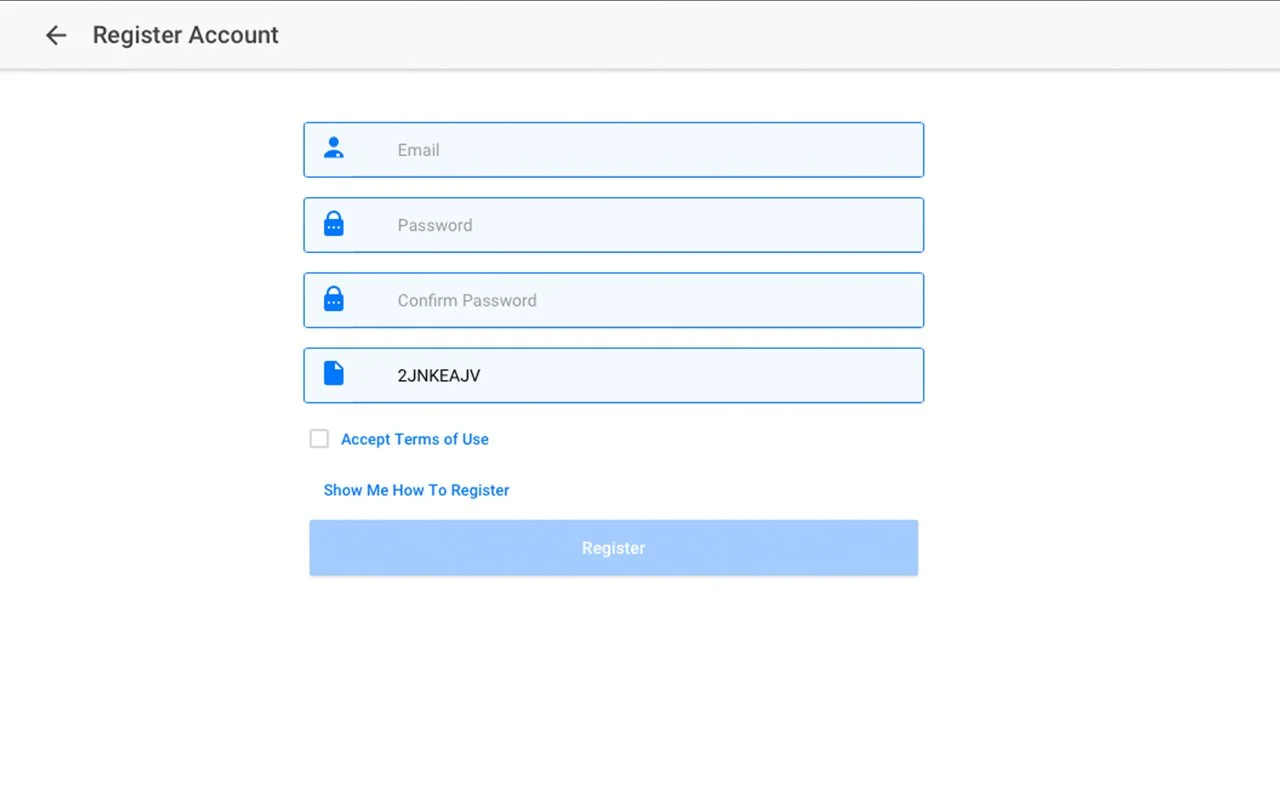
STEP 1: Create Your Account (First-Time Users Only)
If this is your first time using TaxPass:
Click “New User? – Create Your Account”
Enter:
Your email address
Create a password
Confirm your password
Enter your TaxPass ID (if provided)
Check the box to Accept Terms of Use
Click Register
STEP 2: Verify Your Account
Check your email for a PIN code from TaxPass
Enter the PIN when prompted
Click Verify Account
❗ If you do not see the email:
Check your spam/junk folder
Click Resend PIN if needed
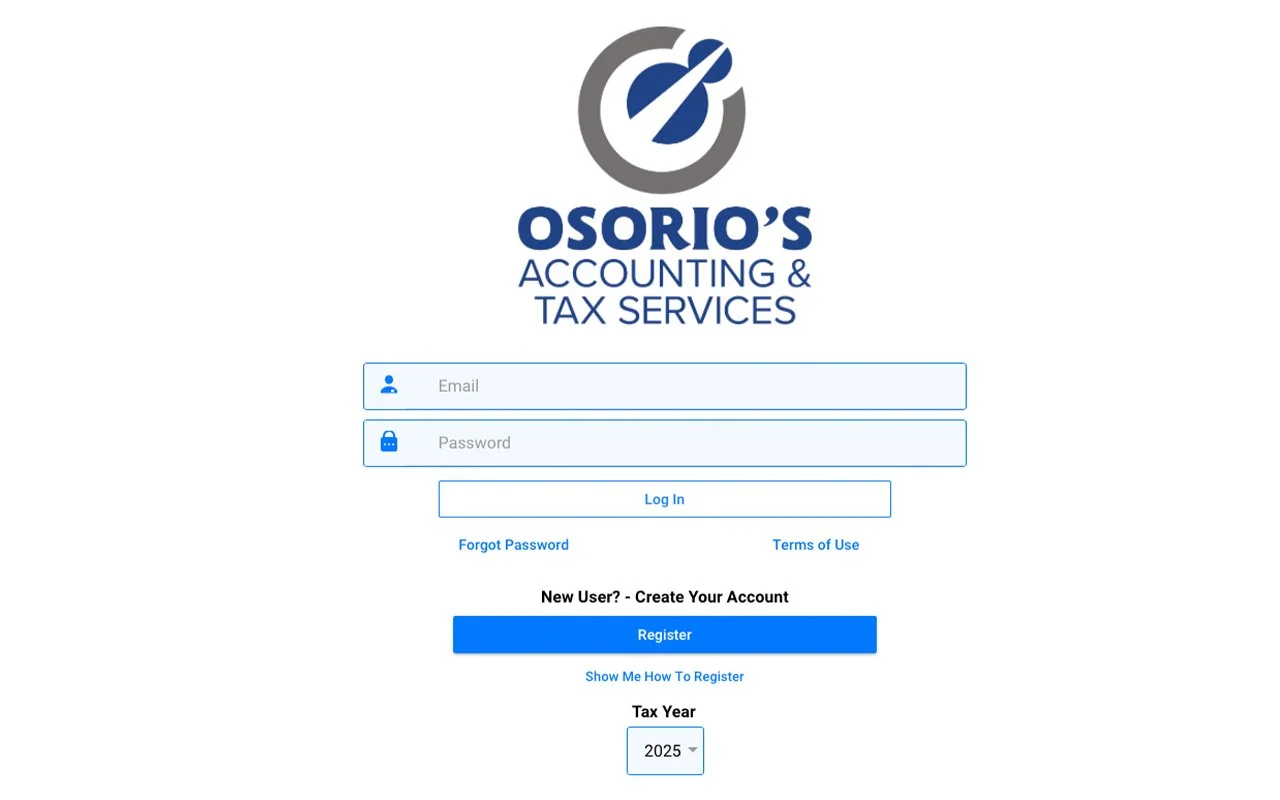
STEP 3: Log In
If you already created your account:
Enter your email and password
Click Log In
Confirm the Tax Year shown is correct
STEP 4: Upload Your Tax Documents
Once logged in, you can:
Upload W-2s, 1099s, receipts, IDs, prior tax returns, and more
Take photos directly from your phone or upload saved files
Add notes if needed
🔒 All documents are secure and encrypted.
Need Help?
If you have any questions or trouble using TaxPass, please contact our office.
We’re happy to help or walk you through the process.